Mark what cannot move
Record which criteria are fixed, which are preferences, what trade-offs the client would consider, and what evidence could justify revisiting an earlier decision.
When a client has firm requirements, a property that misses one essential detail is not automatically useful because everything else looks close. estateTT gives Bermuda agents one workspace for keeping the exact brief, reasons for excluding or reconsidering listings, viewing outcomes, seller answers, and serious follow-up connected.
estateTT individual agent account
Bermuda criteria, property decisions, appointments, offers, and follow-up
Capture
Record the exact criteria
Qualify
Separate fixed from flexible
Match
Build a precise shortlist
Follow up
Preserve the property decision
Move forward
Coordinate the reconsidered file
Start with what cannot move
Your Bermuda client does not need broad parish commentary. They need the agent to remember which requirement is fixed, which compromise is possible, and why a property previously left the shortlist. The useful brief records budget conversation, timing, property type, location preference, household needs, access, layout, outdoor space, parking, condition, and the client's true non-negotiables.
Record which criteria are fixed, which are preferences, what trade-offs the client would consider, and what evidence could justify revisiting an earlier decision.
Attach the client's concern, viewing outcome, seller reply, media, document, or changed circumstance to the property instead of relying on a vague rejected status.
When a price, availability, condition answer, document, or client priority changes, return to the specific reason the property was excluded before placing it back on the shortlist.
Where near matches keep returning
The friction appears when fixed criteria and preferences blur together, rejection reasons disappear into messages, and the client repeatedly explains why an otherwise attractive property does not work.
If every criterion is treated as fixed, the search cannot adapt. If none is treated as fixed, the shortlist fills with near matches. Record the difference in the client's own context.
“Not suitable” is too thin to guide future matching. Keep the missing requirement, viewing reaction, seller answer, condition concern, or timing issue attached to the property.
A property should return to consideration only when the relevant fact, client priority, price position, availability, or professional answer changed—not because the earlier reasoning was forgotten.
estateTT individual agent account
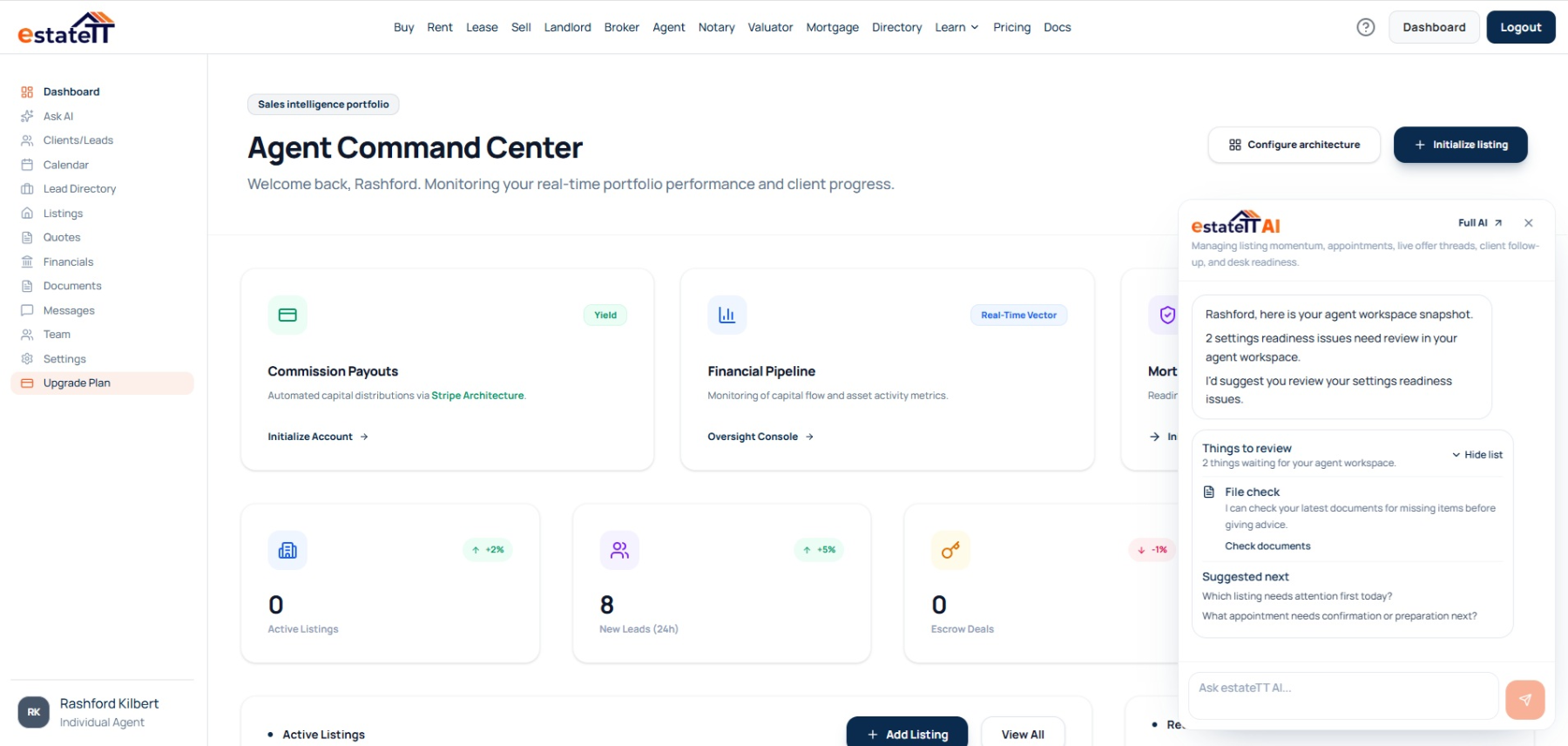
The Bermuda agent dashboard keeps listings, clients, appointments, messages, documents, offers, analytics, and financial activity connected to the exact criteria and property decisions shaping each shortlist.
That gives you a place to return when a property is excluded, a seller supplies new information, the client accepts a compromise, or a serious question needs qualified input.
Keep non-negotiables, preferences, acceptable trade-offs, timing, budget conversation, and property type in the same client context.
Return to viewing outcomes, rejection reasons, seller replies, messages, and the details that could justify reconsideration.
Keep offers, supporting documents, changed information, and professional questions closer to the Bermuda property they concern.
Review supported analytics and financial views alongside the Bermuda briefs, property decisions, appointments, and offers producing the activity.
The Bermuda agent journey
The account becomes more useful when fixed criteria stay distinct from preferences, every property decision keeps its reason, and serious questions remain connected to the people responsible for answering them.
01
Record the enquiry, intended use, timing, budget conversation, property type, fixed criteria, preferences, and next action.
02
Separate non-negotiables from preferences and record which trade-offs the client would genuinely consider.
03
Connect the precise brief to relevant Bermuda listings and give each property a reason to enter the shortlist.
04
Keep viewing reactions, exclusion reasons, messages, seller replies, media, documents, and changed information attached to the relevant property.
05
Keep the Bermuda offer, property decision history, records, and professional replies connected while each client and qualified professional owns their own conclusion.
A rejection reason is not a permanent property conclusion
estateTT helps coordinate what the client requires, why a listing left the shortlist, what information changed, and what still needs qualified input. It does not confirm the property, interpret professional evidence, or decide whether the client should proceed.
Use the workspace to preserve fixed criteria, acceptable compromises, property decisions, viewing outcomes, and follow-up for the work you are responsible for.
Keep client authority and every legal, lending, valuation, inspection, surveying, planning, construction, and regulatory conclusion with the responsible person.
What the precise Bermuda agent account helps organize
Keep fixed criteria, preferences, trade-offs, and property decisions beside the Bermuda listings under consideration
Return to exclusion reasons, viewing outcomes, seller replies, changed information, and open work
Keep Bermuda offers, exclusion history, seller messages, and documents beside the property they concern
Review supported activity before the next match or professional conversation
What estateTT does not decide
Confirm title, boundaries, condition, approvals, availability, or another party's statements
Turn a Bermuda brief or exclusion reason into legal, lending, tax, valuation, inspection, surveying, planning, construction, or regulatory advice
Commit a client or seller without their authority
Let recorded criteria replace brokerage oversight, professional property checks, or the Bermuda client's judgment
Account-aware AI
estateTT AI can use supported Bermuda account activity to return you to the fixed criterion, exclusion reason, seller reply, appointment outcome, document, or offer that needs attention.
Use supported client, appointment, listing, and message context to revisit which fixed requirement, preference, or viewing outcome changed the property's fit.
Return to open seller, document, appointment, offer, or client activity without forgetting the specific reason the Bermuda property was previously excluded.
The AI can organize and explain supported Bermuda activity; it cannot decide which client criterion should move, verify property statements, or replace client, agent, brokerage, legal, lending, valuation, inspection, surveying, planning, construction, or regulatory judgment.
Continue from the Bermuda property decision
Move from the individual agent account into current Bermuda listings, brokerage support, or plan information relevant to your practice.
Review the public property inventory your clients may already be exploring.
Use the broker route when Bermuda client criteria, exclusion decisions, and follow-up are shared across linked agents or supervised by a team.
Compare the professional plans before creating the Bermuda individual agent workspace.
Questions about precise Bermuda briefs
This page leads to the individual_agent account. Broker owners and teams should use the broker route so the account structure matches how their Bermuda practice operates.
Use the individual Bermuda workspace for listings, clients, appointments, messages, documents, offers, analytics, financial views, and account settings.
Yes. Keep the missing requirement, unacceptable trade-off, viewing outcome, seller reply, condition question, document, or timing issue closer to the relevant listing.
Yes, when the relevant information, price position, availability, property condition, client priority, or professional answer changes. The recorded exclusion reason makes that reconsideration more useful.
No. estateTT preserves the Bermuda brief and decision history; clients, agents, brokers, attorneys, valuators, lenders, inspectors, surveyors, and other qualified professionals remain responsible for their checks, advice, representations, and decisions.
A useful Bermuda shortlist remembers why every property stayed, left, or returned.
Create your individual agent account and keep the exact brief, listing decision, appointment outcome, seller reply, document, message, and offer ready for the next conversation.
estateTT is a technology provider that delivers specialized workflow and organization tools for real estate platform participants in Bermuda. estateTT is not a real estate agency, brokerage, legal firm, or financial institution. The platform does not make title, lending, landholding-license, fee, deposit, or transaction-outcome decisions. While the platform reserves the right to review participants to maintain network quality, it does not certify professional credentials or replace independent checks. Users are solely responsible for independently verifying all transaction details, licensing, and legal requirements with qualified local professionals and relevant Bermuda regulatory authorities before engagement.