Start with land and location identity
Record the region and exact location, site access, intended use, relevant ownership or occupancy details, survey references, phase plan, media, and current status. A map pin alone cannot answer those questions.
Buyers want to know where the lot sits, how it can be reached, what services are proposed, what is available now, and who can support each answer. estateTT keeps those details with the project and inventory item while official applications continue through CH&PA.
estateTT developer account
Projects, units, buyer activity, and team work
Set up
Create the project record
Add units
Publish current inventory
Manage interest
Keep buyer activity visible
Coordinate
Connect records and people
Move forward
Track the next stage
Start with the operating record
A planning submission and a buyer conversation serve different purposes. Keep CH&PA references with the affected project or phase, then give the sales team the inventory, access, service, document, and follow-up details buyers actually need. The government portal handles the application. estateTT helps your team present the project clearly, keep supporting material with the right lot or unit, track buyer interest, and make sure the next response has an owner.
Record the region and exact location, site access, intended use, relevant ownership or occupancy details, survey references, phase plan, media, and current status. A map pin alone cannot answer those questions.
Connect each phase, lot, house, apartment, or commercial unit to its own dimensions, price, availability, access context, proposed services, specifications, and supporting material. A statement about the project should not silently become a promise about every lot.
Keep the buyer’s preferred lot or unit, intended use, site-visit notes, remote questions, requested documents, messages, and next action together so the responsible team or professional receives a usable question.
Where project momentum starts to fragment
Guyana’s regions and settlement patterns make location shorthand especially risky. “Near Georgetown,” “road access,” or “services available” can conceal the exact facts a buyer needs before committing time or money.
A transport, title, lease, agreement, permission, survey, and project name do not establish the same thing. Keep the relevant record and its source visible so sales staff can describe the project without giving legal conclusions.
Roads, drainage, sea or river defence, potable water, electricity, sewerage, and site works may involve different agencies, engineers, contractors, or phases. Record what is proposed, confirmed, pending, or still a question—and who supplied that status.
A buyer notices the approach road, boundary markers, nearby drains, surrounding land use, or construction progress. If those observations live only in a message thread, the follow-up loses the exact concern that made the visit useful.
The developer workspace
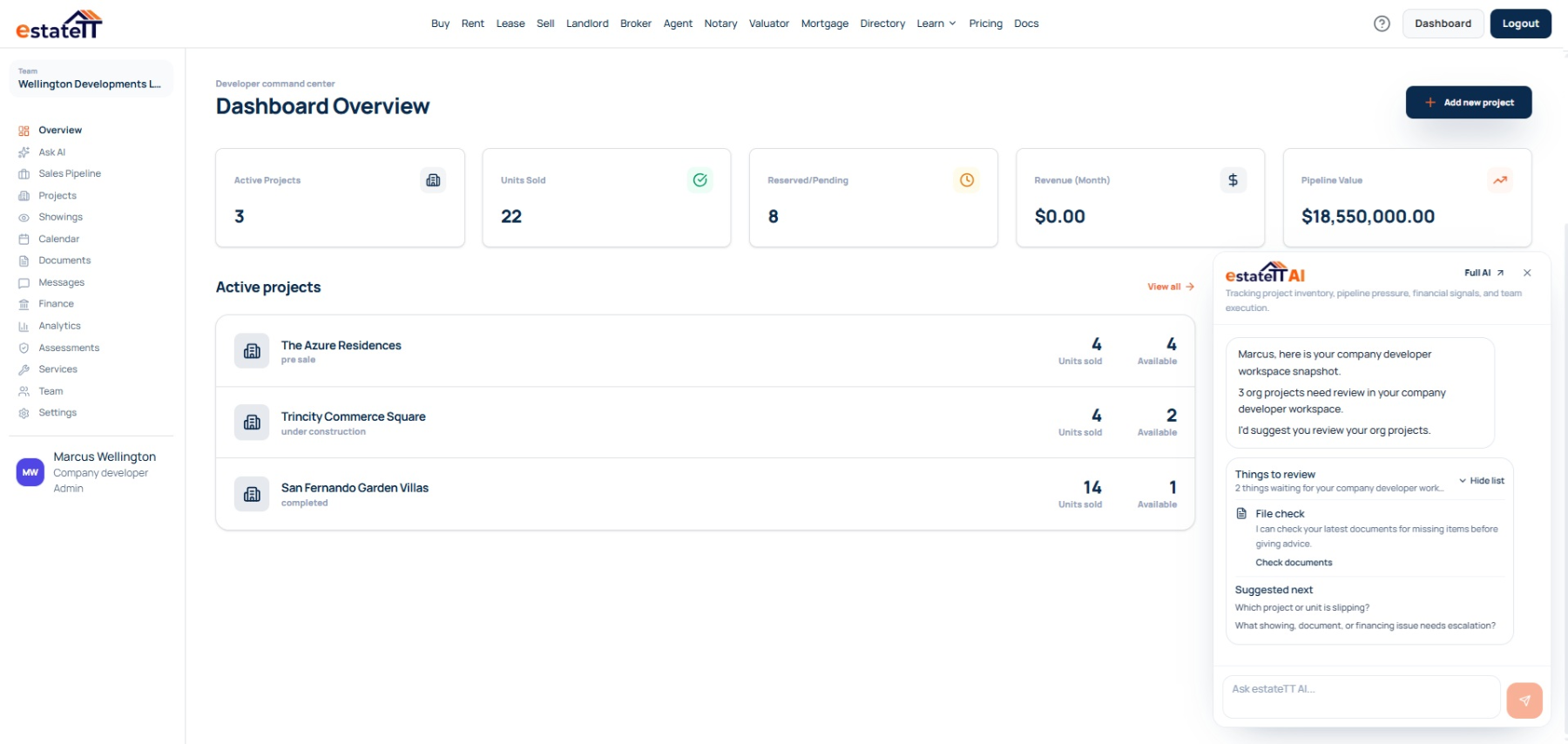
Use the developer workspace to describe the project and inventory, preserve the sources behind important updates, manage site visits and remote enquiries, and keep documents and next actions attached to the lot or unit being considered.
An individual developer can manage a focused project directly. A development company can coordinate sales, projects, finance, and operations across several phases or locations while controlling team access.
Keep the region, exact location, access, relevant land references, survey details, surroundings, and supporting documents together.
Give each phase, lot, or unit its own availability, pricing, dimensions, proposed services, access notes, specifications, and current questions.
Connect observations, photographs, buyer concerns, requested records, messages, and the next responsible person to the active inventory item.
Review team activity, documents, calendars, pipeline movement, project financial records, payment milestones, and analytics.
The developer journey
The account becomes more useful as the work moves from project setup into inventory, buyer activity, transaction coordination, and the professional work around each unit.
01
Record the region, locality, access, developer-supplied ownership or occupancy basis, survey references, proposed use, surrounding context, project status, and source material.
02
Create the phases, lots, houses, apartments, or commercial units with separate dimensions, prices, availability, proposed services, access notes, specifications, media, and documents.
03
Connect the buyer’s observations about roads, drains, boundaries, neighbouring uses, site works, utilities, or construction progress to the exact lot or unit.
04
Assign the next response to the developer, project team, agency, utility, surveyor, engineer, attorney, lender, valuator, contractor, or other responsible person.
05
Keep the buyer, inventory item, visits, documents, appointments, pipeline stage, and financial record connected as professional verification and transaction work begin.
A connected project still needs qualified people
estateTT gives the developer team a property-aware operating workspace. It does not become the person responsible for project approvals, professional advice, funds, construction, or the legal transaction.
Manage project information, inventory, buyer conversations, and internal follow-up from the developer workspace.
Provide the planning, legal, valuation, lending, payment, construction, inspection, and other professional work the project and buyer require.
What the developer account helps organize
Create project records and manage unit context
Keep buyer interest, showings, messages, and pipeline stages visible
Organize project documents, team activity, calendars, and financial records
Use workspace context to prepare the next conversation and handoff
What estateTT does not decide
Approve planning, environmental, or construction work
Give legal advice, decide title, or complete a transfer
Approve financing, buyer eligibility, or valuation conclusions
Hold funds, release payments, or decide transaction outcomes
Account-aware AI
estateTT AI can help surface a site-visit concern without follow-up, an incomplete inventory record, or a buyer request that has gone quiet. It cannot determine ownership, boundaries, planning status, engineering adequacy, utility availability, value, eligibility, or legal questions.
Review supported messages, visit notes, and pipeline activity to identify which access, drainage, boundary, service, or inventory question still needs an owner.
Recover the region, locality, project, phase, lot or unit, buyer, documents, and recent activity before the team drafts its next response.
CH&PA, its partner agencies, GL&SC, registries, utilities, engineers, surveyors, attorneys, valuators, and lenders must confirm the matters that fall under their authority or professional work.
Bring in the right support
Keep the project and inventory context attached while the buyer prepares for financing or seeks the professional support the matter requires.
Choose an individual workspace or a company account for shared project, inventory, buyer, document, and operating work.
Help a financing-dependent buyer organize income, debt, deposit, property, and document questions before approaching a lender.
Move ownership, transport, title, lease, contract, signing, and transfer questions to an appropriate Guyana legal professional.
Questions before you set up
No. Planning and development applications remain in CH&PA’s Single Window. estateTT helps the developer manage project inventory, buyer activity, shared records, team follow-up, and professional conversations.
No. The workspace can store the references and documents supplied by the developer, but registries, GL&SC, licensed surveyors, attorneys, and the relevant authorities must confirm what those records establish.
Describe what is proposed, underway, confirmed, pending, or still being investigated. Keep the source, date, affected phase or lot, and responsible agency, utility, engineer, contractor, or team member attached to the statement.
Yes. Keep remote questions, shared media, requested documents, virtual appointments, representative visits, preferred inventory, and next actions connected. The developer and qualified professionals must still verify substantive property claims.
No. The developer, buyer, relevant authorities, and qualified professionals remain responsible for funds, buyer acceptance, financing, valuation, title, contracts, approvals, surveys, inspections, construction certification, and transfer.
The project page is the beginning, not the operating system.
Create the developer account, add the project and inventory, then keep buyer observations, document requests, updates, and follow-up attached to the right property.
estateTT is a technology provider that delivers specialized workflow and organization tools for real estate platform participants in Guyana. estateTT is not a real estate agency, brokerage, legal firm, or financial institution. The platform does not make title, lending, landholding-license, fee, deposit, or transaction-outcome decisions. While the platform reserves the right to review participants to maintain network quality, it does not certify professional credentials or replace independent checks. Users are solely responsible for independently verifying all transaction details, licensing, and legal requirements with qualified local professionals and relevant Guyana regulatory authorities before engagement.